# ChatKnow工单使用教程

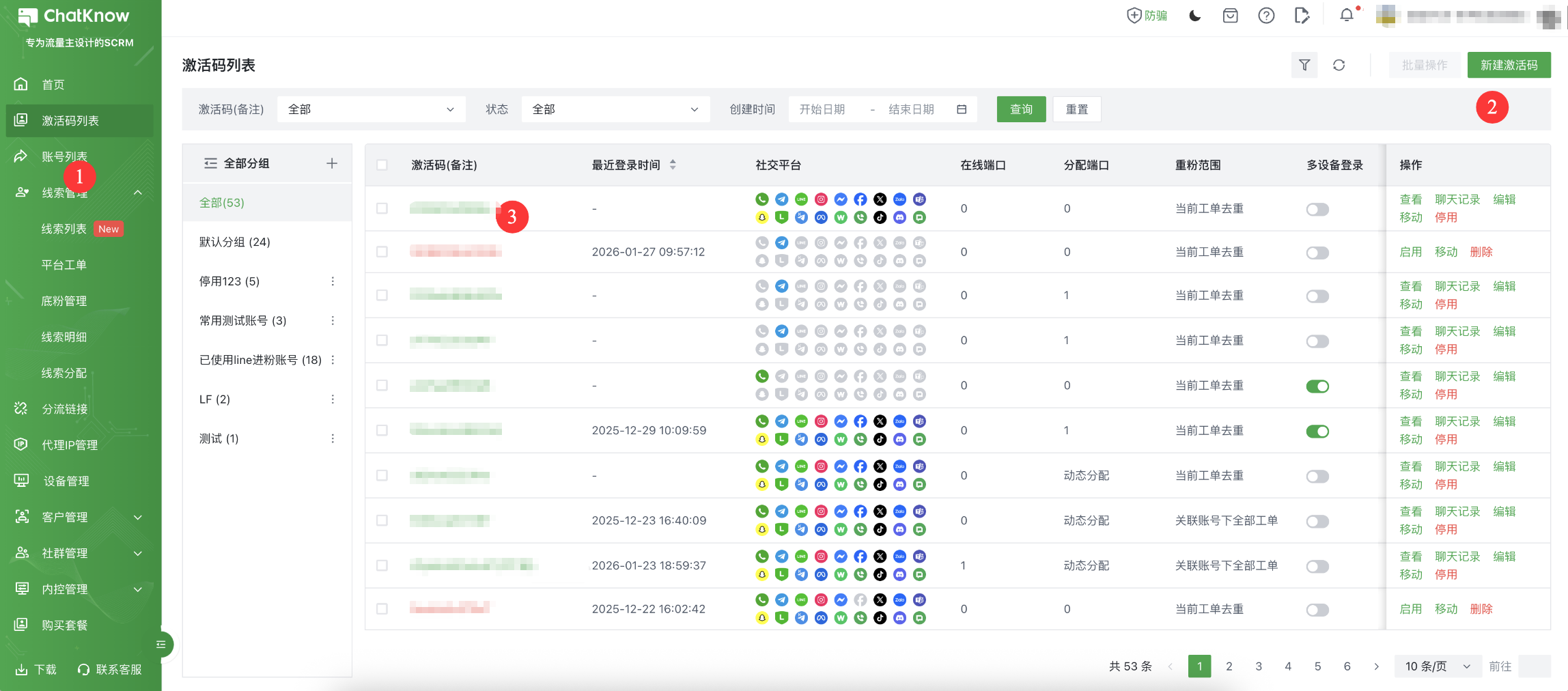
您可以在主管后台中找到<mark style="color:green;">“设置”</mark>→“<mark style="color:green;">激活码列表</mark>”页面。然后找到“<mark style="color:green;">新建激活码</mark>”按钮，新建完成后返回列表，复制刚创建的激活码，交给客服去ChatKnow客户端完成登录。

<figure><img src="/files/tjkEQOSXQb8m8ndf1Jlq" alt=""><figcaption></figcaption></figure>

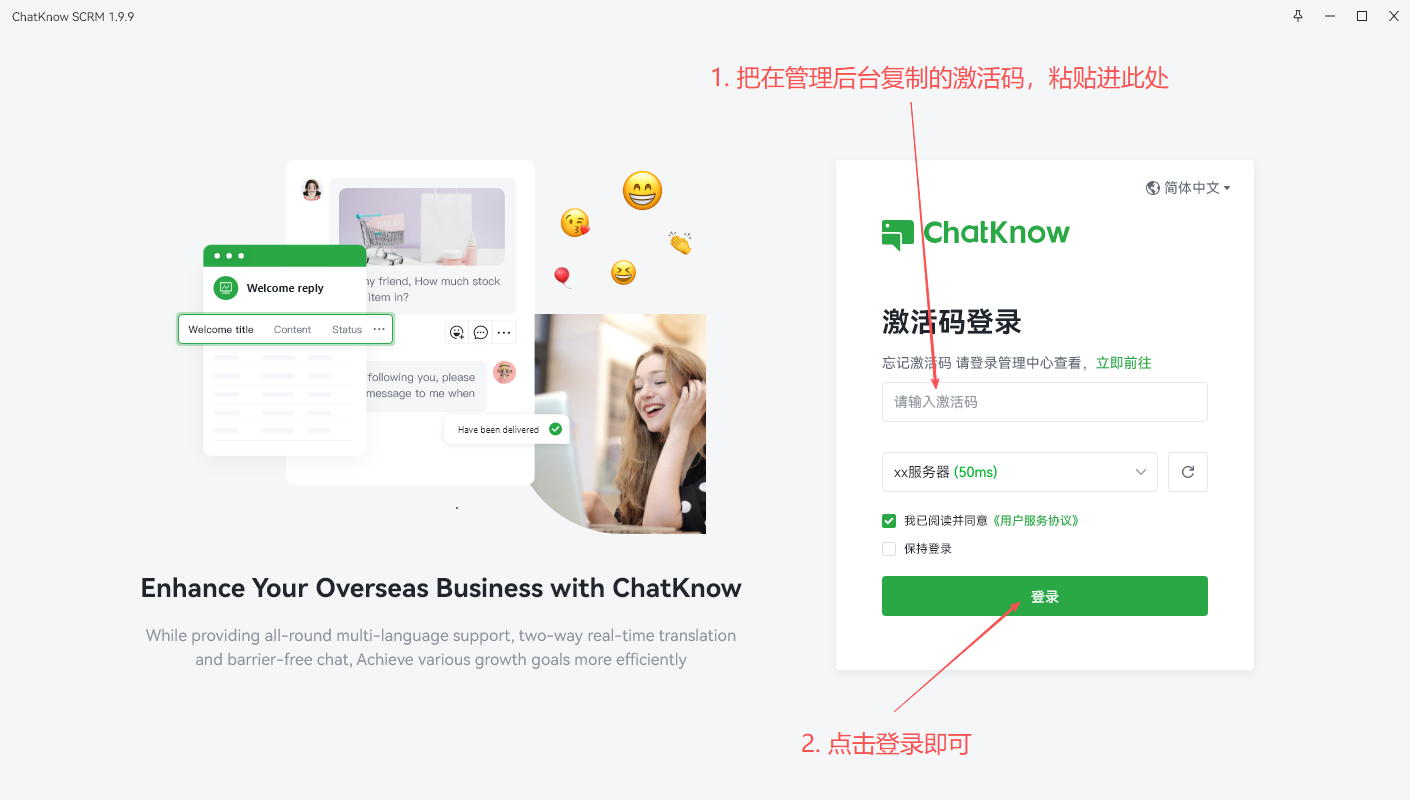
把在管理后台复制的激活码，粘贴，点击登录即可

<figure><img src="/files/kFvAxqMoVnhMCyA3sRi3" alt=""><figcaption></figcaption></figure>

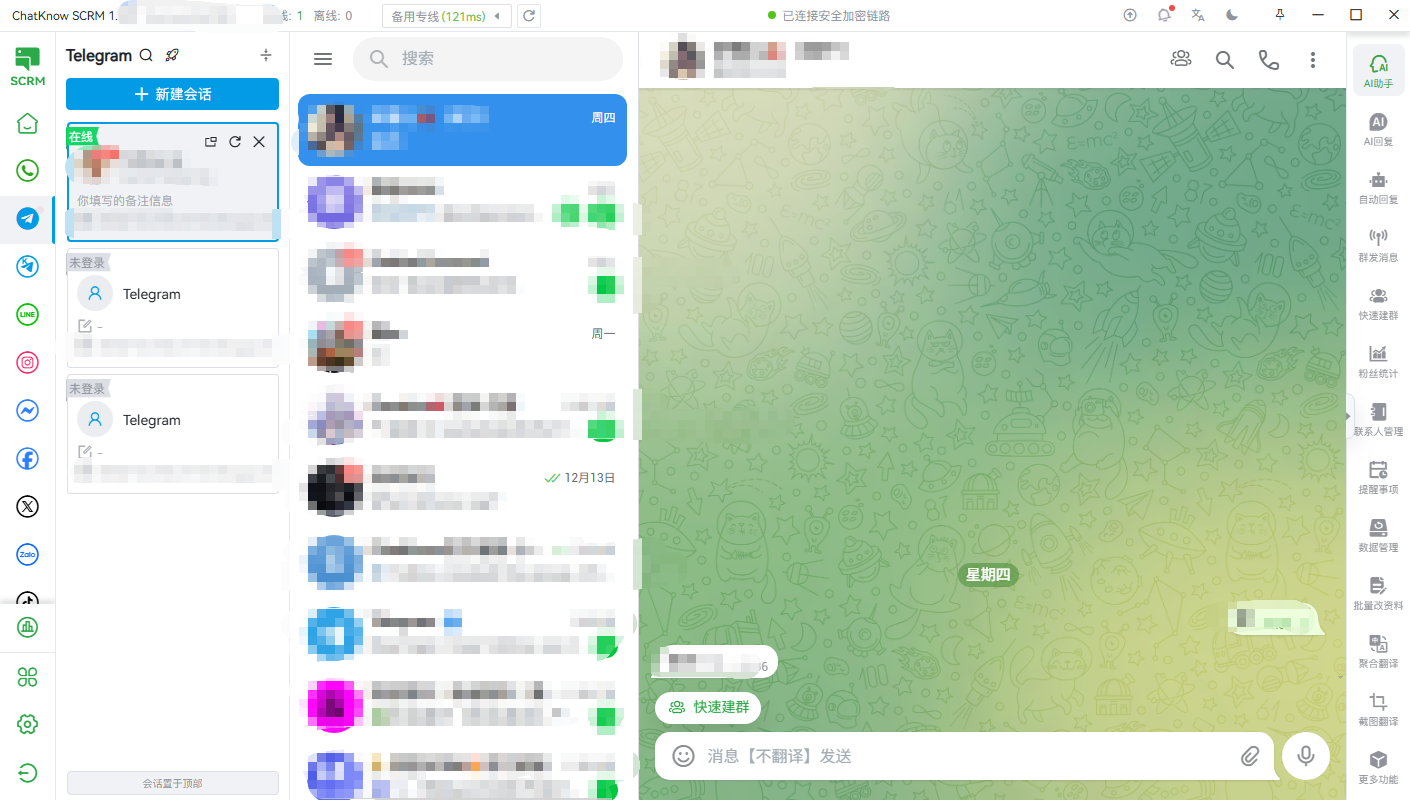
选择想创建工单的平台，登录社交账号；

<figure><img src="/files/mZtBoLOBcM37Hn9MSLYP" alt=""><figcaption></figcaption></figure>

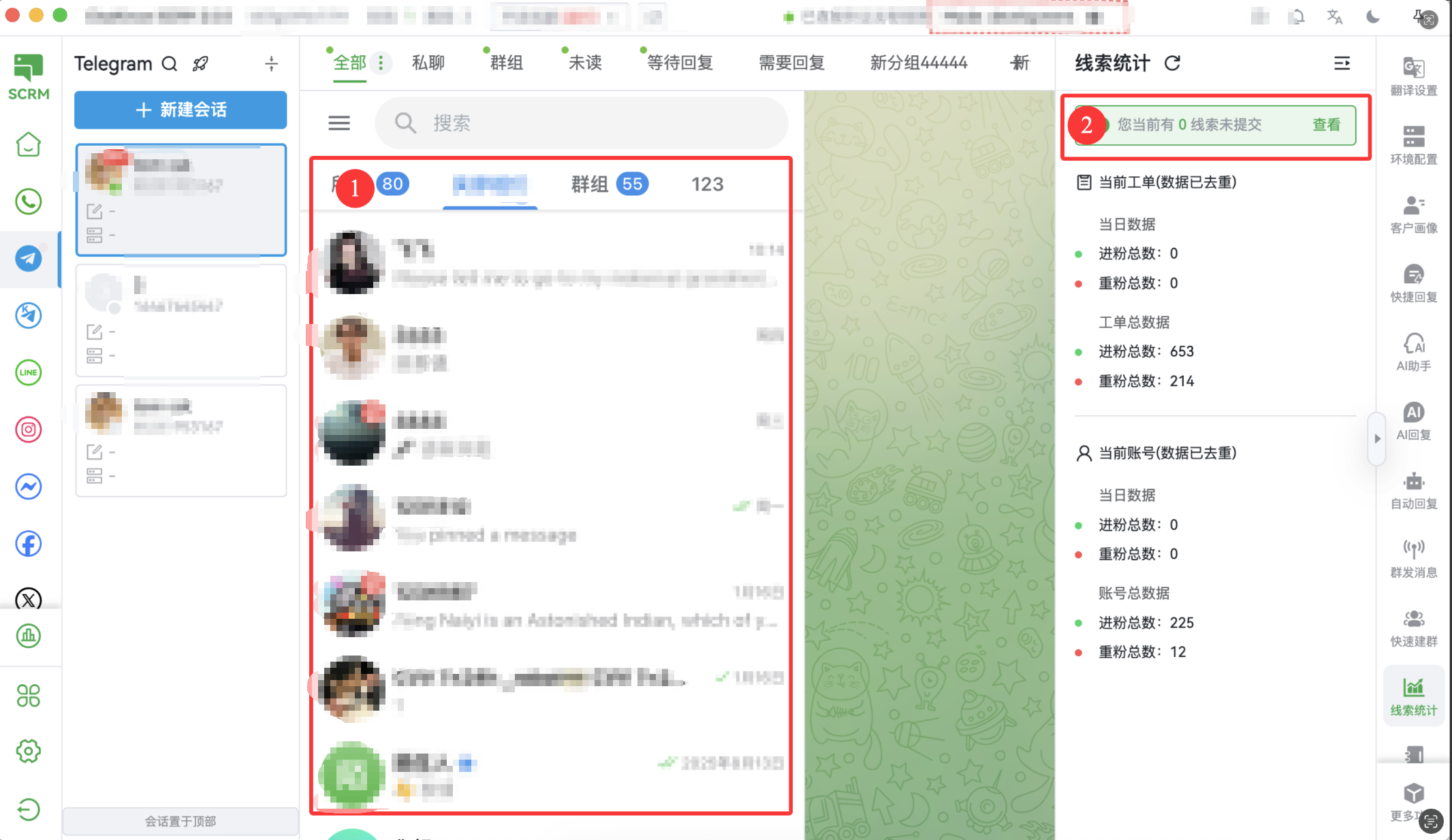
1.为保障您的工单计数（打粉）的准确性，需要将登录中的社交账号向下滑动，加载此账号列表中的全部“联系人”完成线索上报行为；

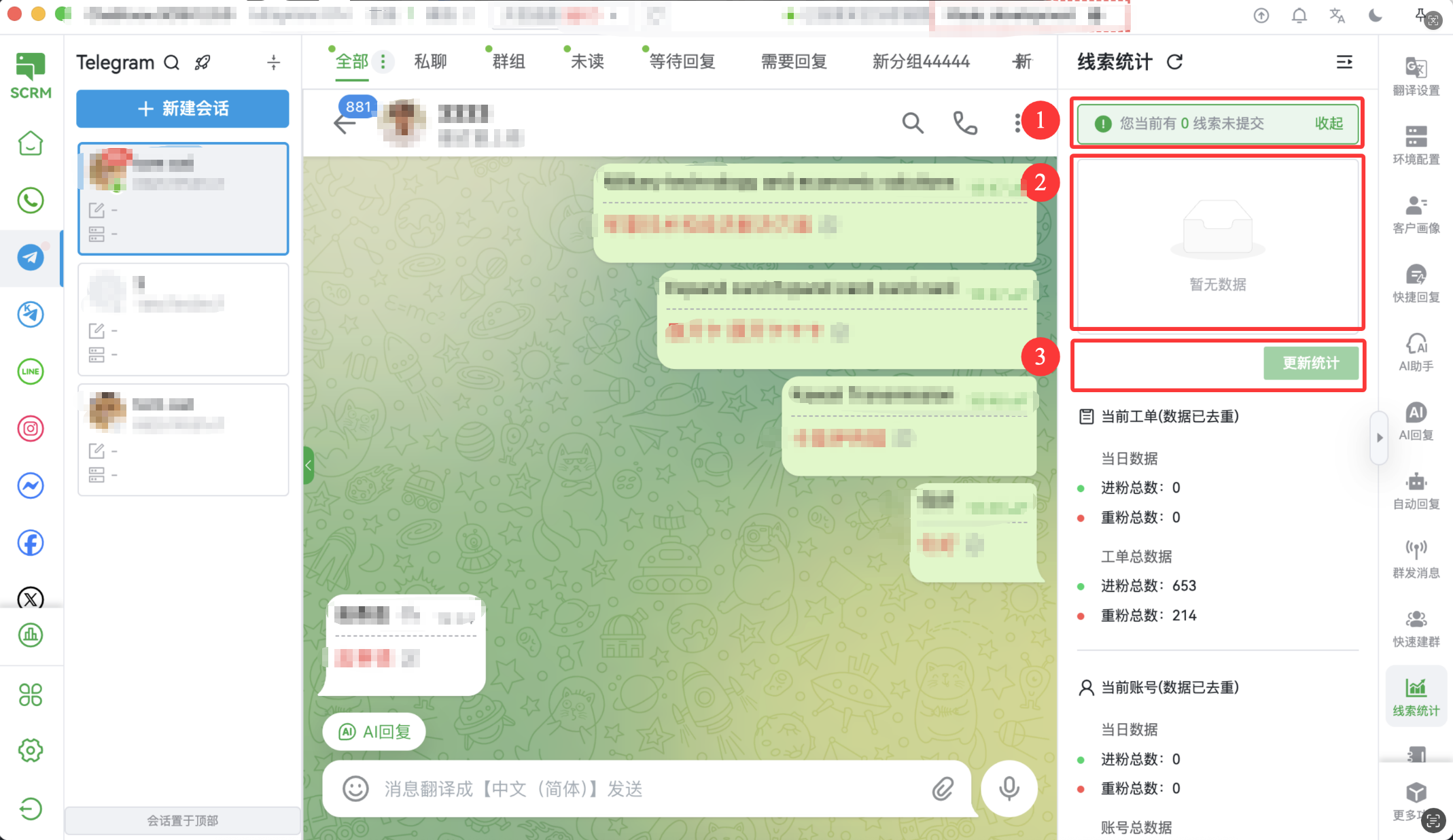
2.如果您此处的<mark style="color:green;">“线索统计”</mark>出现提示，则代表您存在"未成功上报的线索"；

<figure><img src="/files/BVs7H705qhOSFDs4upBG" alt=""><figcaption></figcaption></figure>

出现提示后，需要您手动点击“<mark style="color:green;">更新统计</mark>”，完成“线索上报”行为，才能在“平台工单”中查询正确的进粉数据；

<figure><img src="/files/a6Dtk3htRe6JBgMg4Erq" alt=""><figcaption></figcaption></figure>

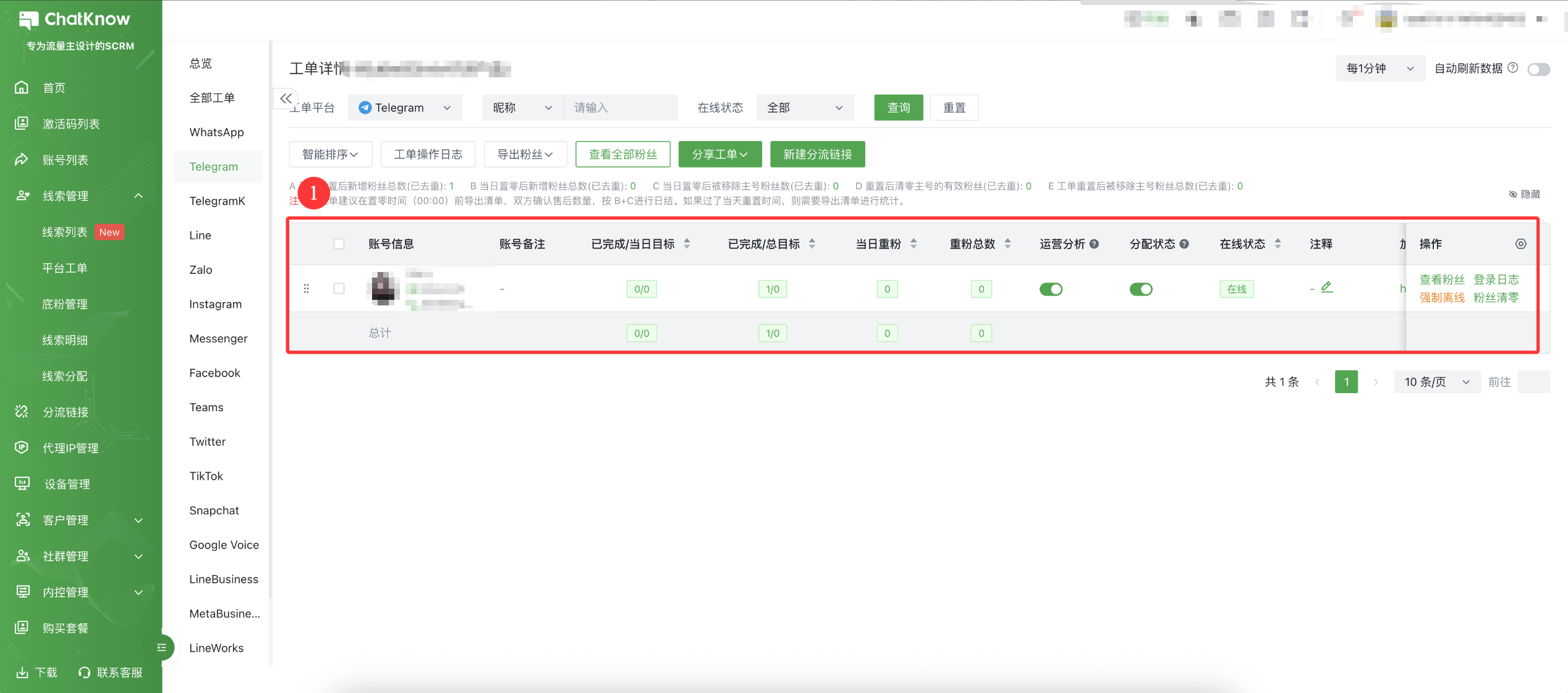
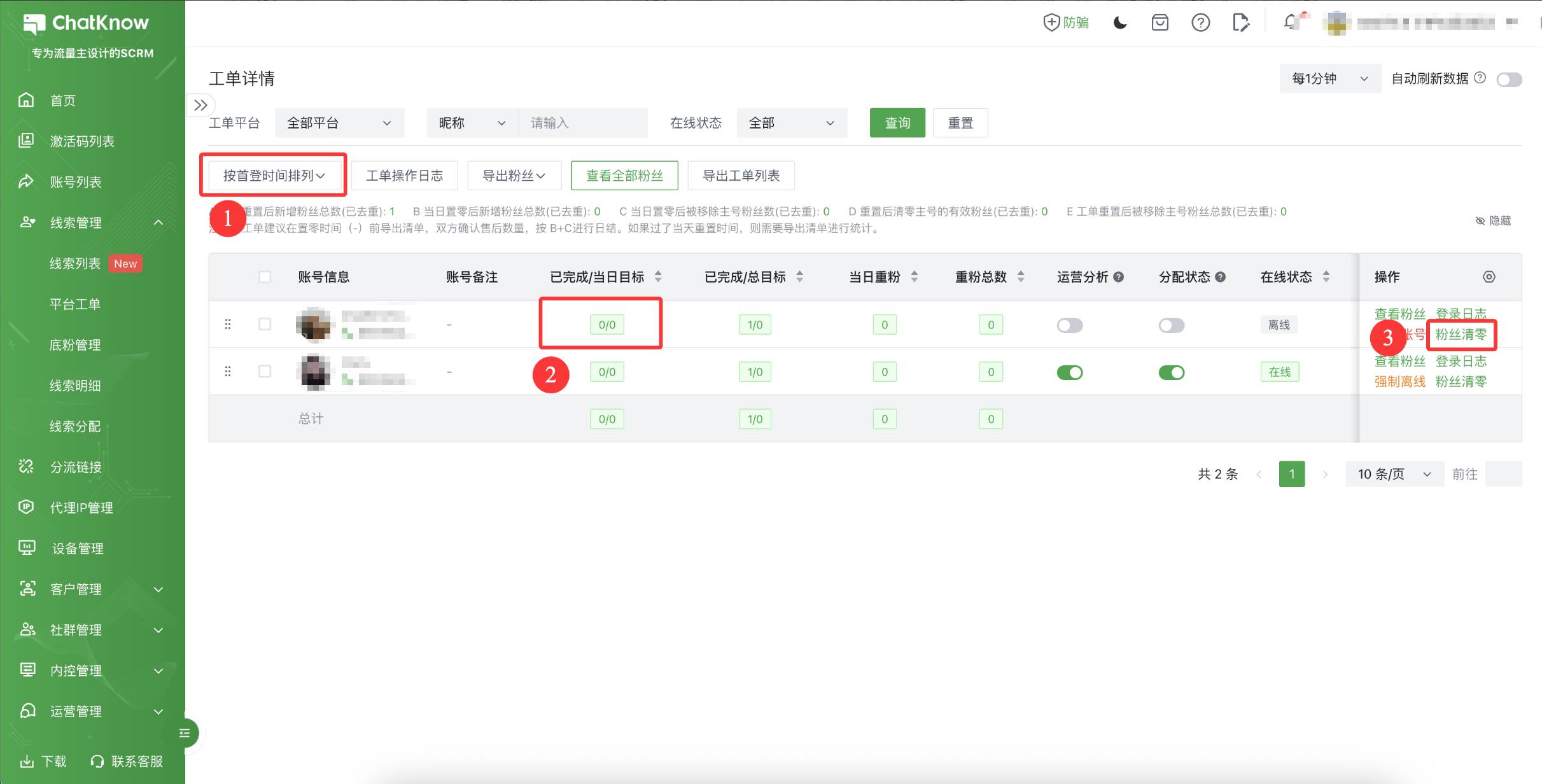
您可以在“<mark style="color:green;">工单详情</mark>”中找到这个社交账号及当前社交账号进粉明细；

<figure><img src="/files/ZGRAbQr9AN5qcdAtxJZD" alt=""><figcaption></figcaption></figure>

当您的线索需要补录时，您可以找到右侧【<mark style="color:green;">线索统计</mark>】的入口；并查看到您当前有哪些线索还没有进行上报，点击【<mark style="color:green;">更新统计</mark>】即可完成线索上报；

<figure><img src="/files/eIxXIssSSElhUmJbTSZa" alt=""><figcaption></figcaption></figure>

手动上报过的线索，将根据您的【<mark style="color:green;">工单去重范围</mark>】去重后上报，您也可以在【<mark style="color:green;">工单详情</mark>】中找到对应社交账号，点击【查看线索】将呈现此页面。

<mark style="color:green;">**工单中新增账号（补号）**</mark>

您使用工单且使用 ChatKnow 的分流链接时，可以分为 2 种补号流程完成“补号”

**一. 《工单》分流链接：**

1）登录使用当前激活码登录客户端，并登录“补充的账号”，并将加载完全部的联系人会话，完成底粉上报；

<figure><img src="/files/Zhd8JSQAZNU1wERBP4gs" alt=""><figcaption></figcaption></figure>

2）返回【工单详情】，点击【按照首登时间排列】。如果找到当前账号今日已完成的线索是上报的旧线索，可以点击【线索清零】，将上报过的旧线索清零。清零的线索被完全移入底库管理中，不再计入在当前工单去重范围内。

<figure><img src="/files/m1lWmr3BF6iw7eZ0zuy9" alt=""><figcaption></figcaption></figure>

**二. 《工单主号》分流链接：**

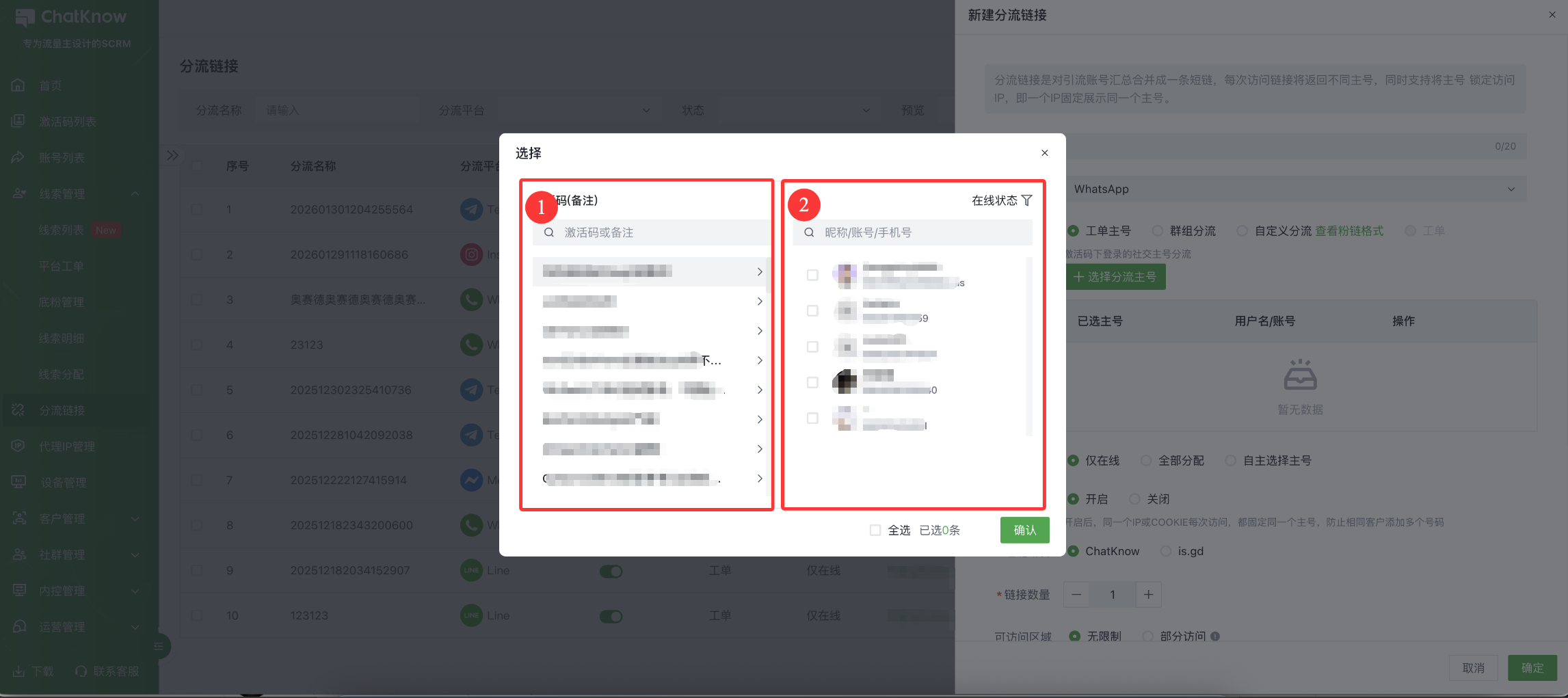
完成工单"分流链接"的步骤 1 和 2 之后，您需要在《线索运营》→《分流链接》→ 找到对应工单待分流链接点击编辑，将刚刚登录的社交账号添加后，则完成 “补号”，参与进粉统计

<figure><img src="/files/Omnhjh3eCFvj6ggXuBfg" alt=""><figcaption></figcaption></figure>

<figure><img src="/files/7ZXxzjGjE3JanZKapnoQ" alt=""><figcaption></figcaption></figure>

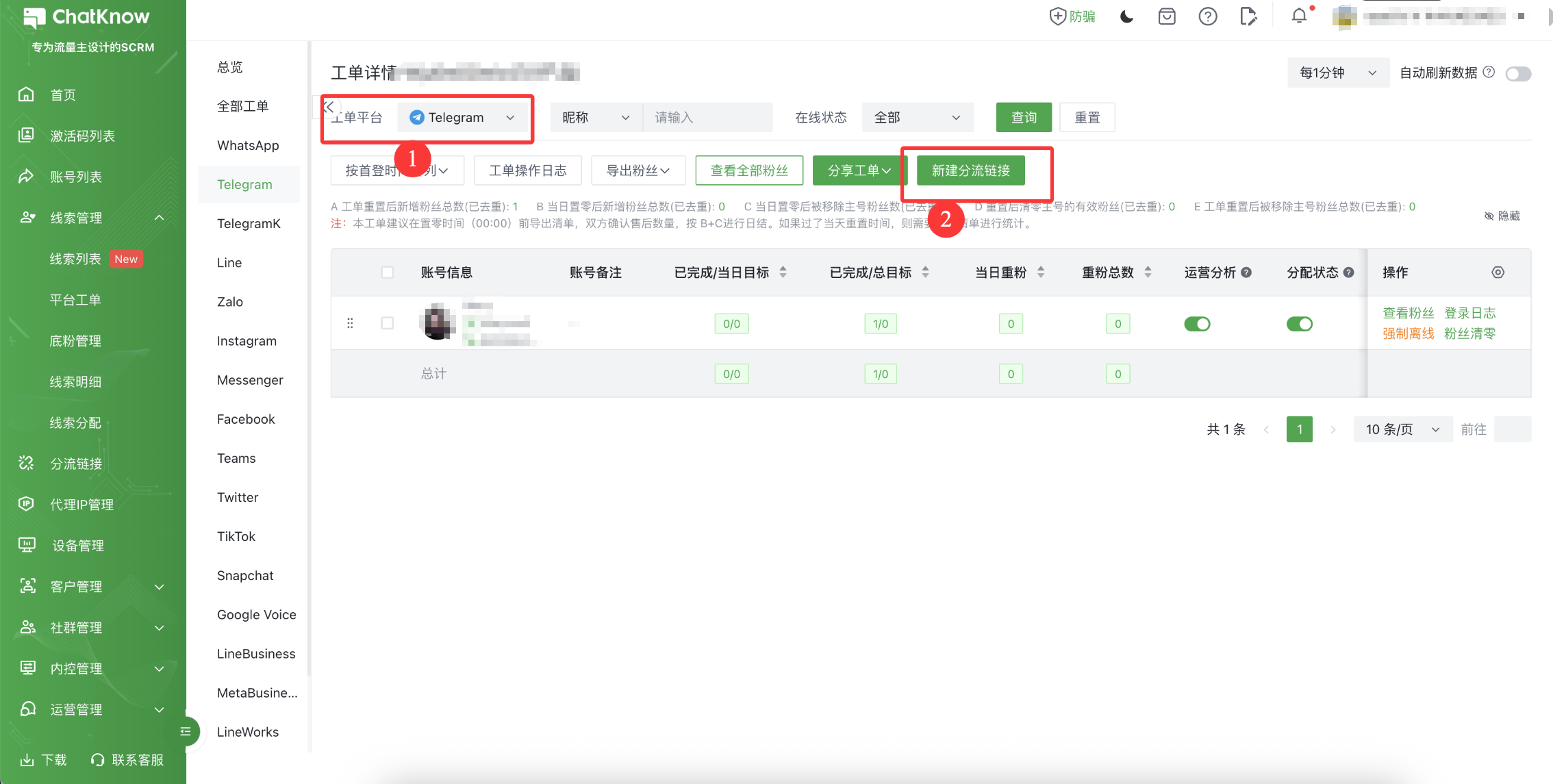
如果需要某一工单下进行分流可以直接点击【工单详情】-【新建分流链接】

<figure><img src="/files/g9wjV6LnPBkD8NsHBZLO" alt=""><figcaption></figcaption></figure>

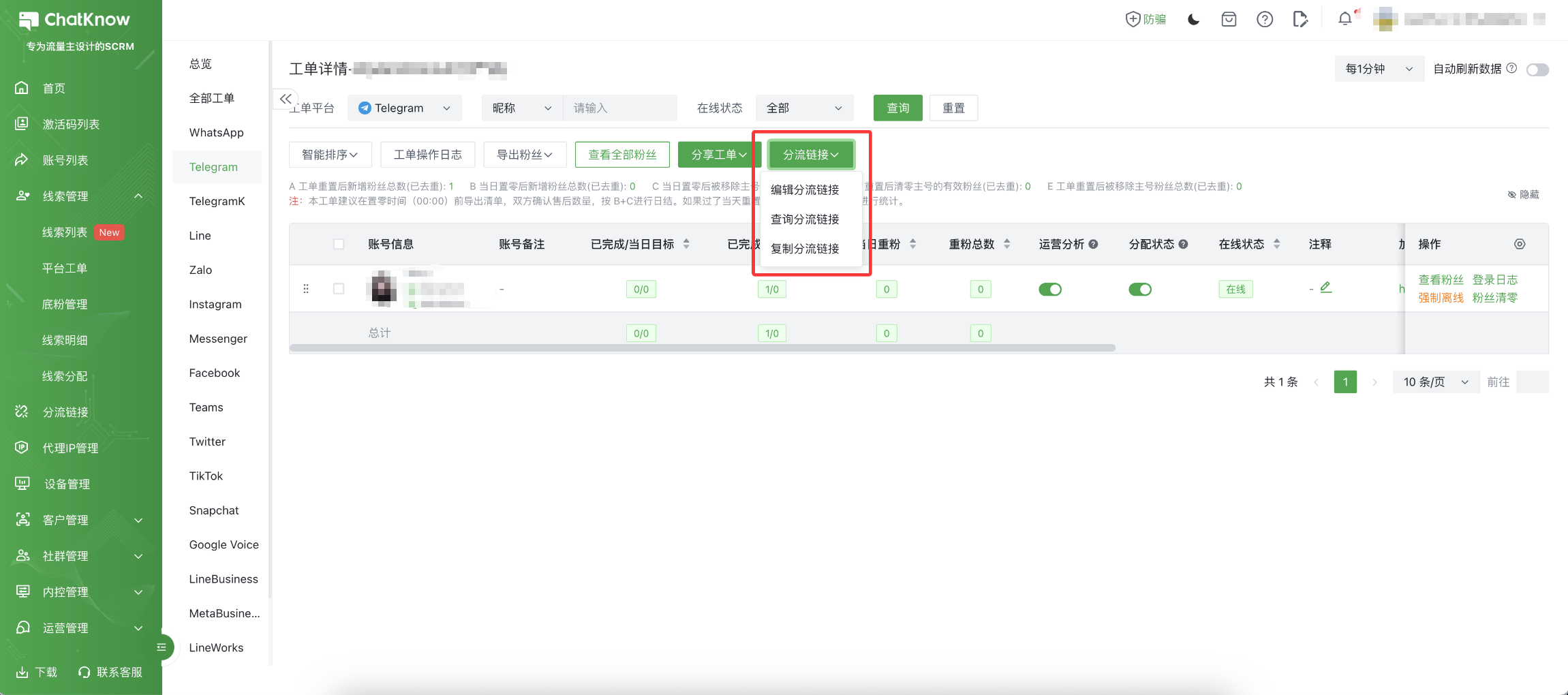
新建完成后同样可以在当前工单页面下查看分流链接，同样可以针对【分流链接】配置进行修改

<figure><img src="/files/Ki8cS3uH7c5Jb8EQIWxl" alt=""><figcaption></figcaption></figure>


---

# Agent Instructions: Querying This Documentation

If you need additional information that is not directly available in this page, you can query the documentation dynamically by asking a question.

Perform an HTTP GET request on the current page URL with the `ask` query parameter:

```
GET https://docs.chatknow.com/ru-men-zhi-nan/chatknow-gong-dan-shi-yong-jiao-cheng.md?ask=<question>
```

The question should be specific, self-contained, and written in natural language.
The response will contain a direct answer to the question and relevant excerpts and sources from the documentation.

Use this mechanism when the answer is not explicitly present in the current page, you need clarification or additional context, or you want to retrieve related documentation sections.