# 组织管理

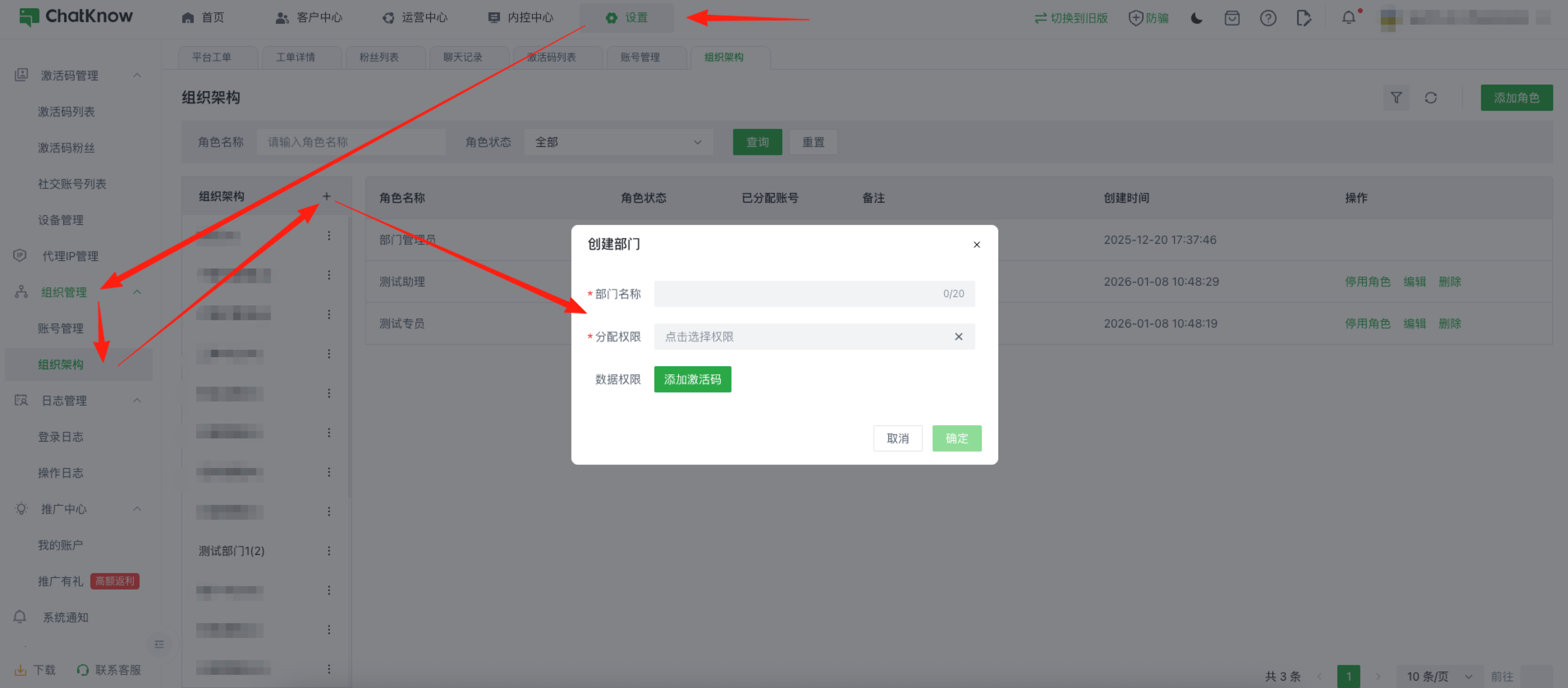
首先需要您找到「设置」→「组织管理」→「组织架构」点击“+”来创建您公司中的“部门”并配置对应权限\
1\. 分配权限：控制当前部门可访问的页面/操作权限\
2\. 数据权限：控制当前部门是否可查看某激活码下客服与粉丝的“聊天记录”

<figure><img src="/files/56hFyFkvRGq5CpevNaJS" alt=""><figcaption></figcaption></figure>

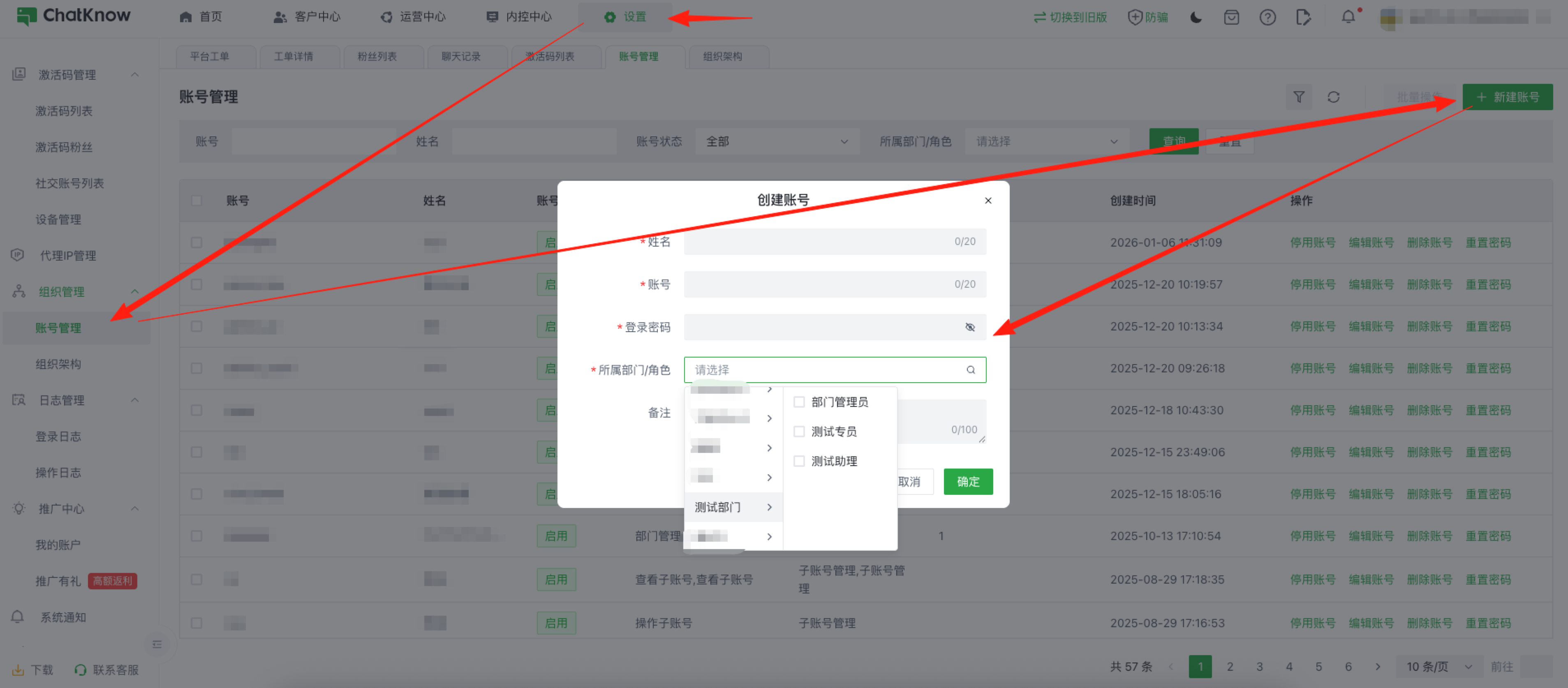
创建部门后，在此页面继续创建角色，角色是为了方便您配置固定的权限给组织内的某类人

<figure><img src="/files/P1FcPLRpoZz0d6YzcmLy" alt=""><figcaption></figcaption></figure>

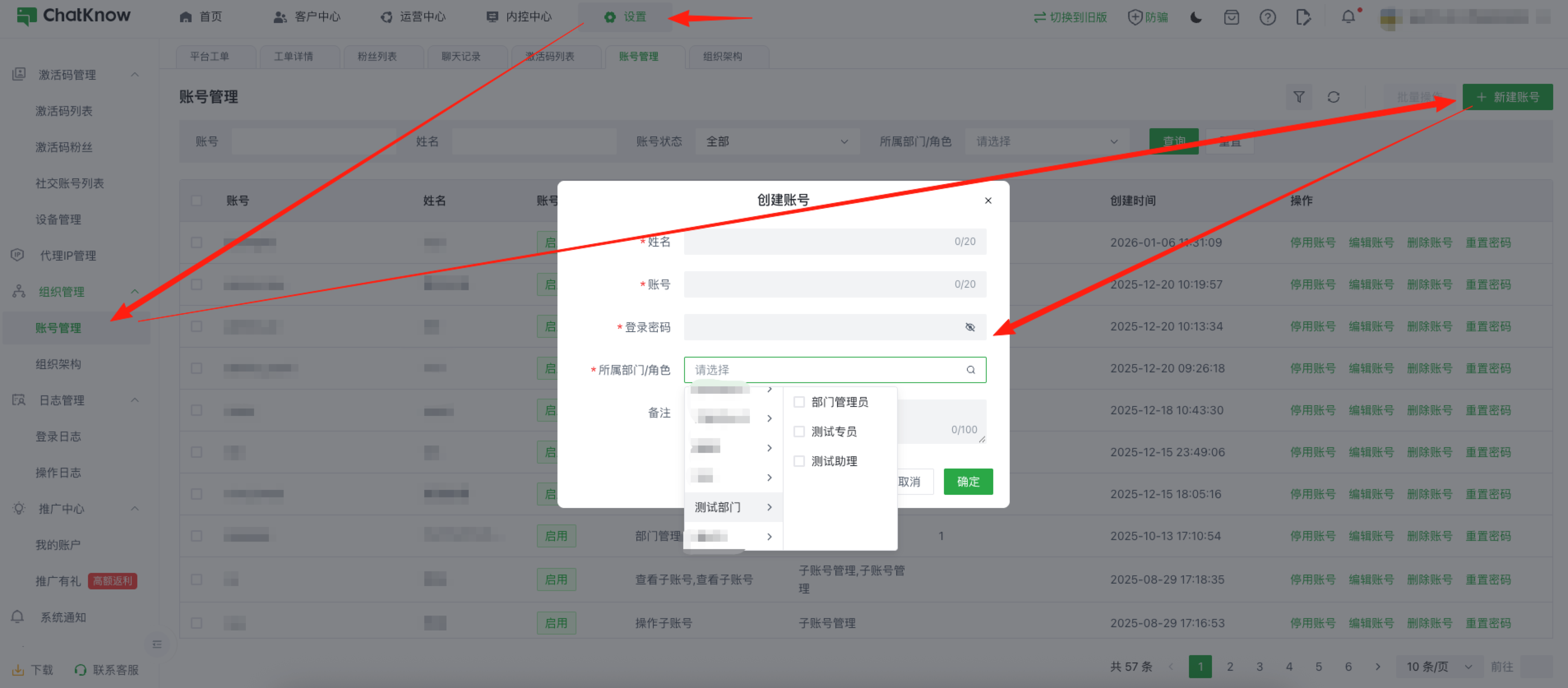
创建角色后，点击「组织管理」中的「账号管理」为您组织下的员工创建“账号”，其中“所属部门/角色”，就是您之前创建此“部门”时所配置的权限，账号创建后，您的员工就可以通过您创建的账号登录会员端

<figure><img src="/files/hqTBONMCRcrbQHKCXhuo" alt=""><figcaption></figcaption></figure>


---

# Agent Instructions: Querying This Documentation

If you need additional information that is not directly available in this page, you can query the documentation dynamically by asking a question.

Perform an HTTP GET request on the current page URL with the `ask` query parameter:

```
GET https://docs.chatknow.com/chatknow-kuai-su-ru-men-tu-wen-jiao-cheng/zu-zhi-guan-li.md?ask=<question>
```

The question should be specific, self-contained, and written in natural language.
The response will contain a direct answer to the question and relevant excerpts and sources from the documentation.

Use this mechanism when the answer is not explicitly present in the current page, you need clarification or additional context, or you want to retrieve related documentation sections.