# 文本转语音

**操作步骤：**

1.输入目标语言→ 2. 填写转换内容 → 3.选择音色， 点击选择声音模版，最后点击生成语言后即可以生成语音，您可以预览生成的语音后点击发送到聊天，系统可以直接将语音发送给当前会话

<figure><img src="/files/BIAAYFbrD8coVlbzb3Va" alt=""><figcaption></figcaption></figure>

<figure><img src="/files/6MxbpxnzY0Cc9tJ7VK4z" alt=""><figcaption></figcaption></figure>

如果你需要进行翻译，那么可以点击翻译按钮，翻译内容的上方是原文，下方是译文，点击生成语音后，系统会针对译文进行生成对应的语音

<figure><img src="/files/MlPwKRmHMsX3EcrpYWsX" alt=""><figcaption></figcaption></figure>

您可以在客户端 「 右侧工具栏 - 文本转语音 」中历史记录查询转化历史记录，你可以对语音的历史记录进行查询、下载或删除

<figure><img src="/files/k4mGKTauEKWihdtHgGKu" alt=""><figcaption></figcaption></figure>

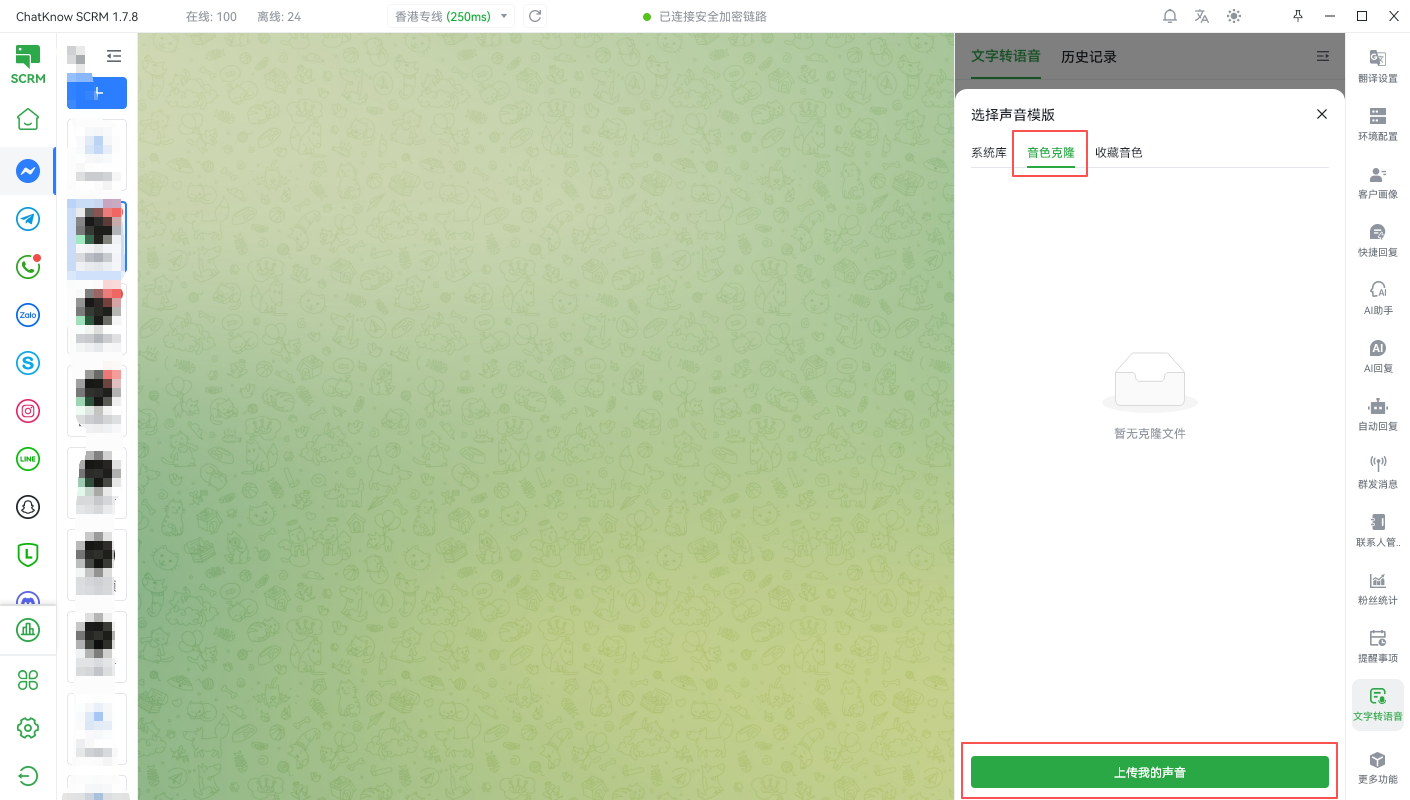
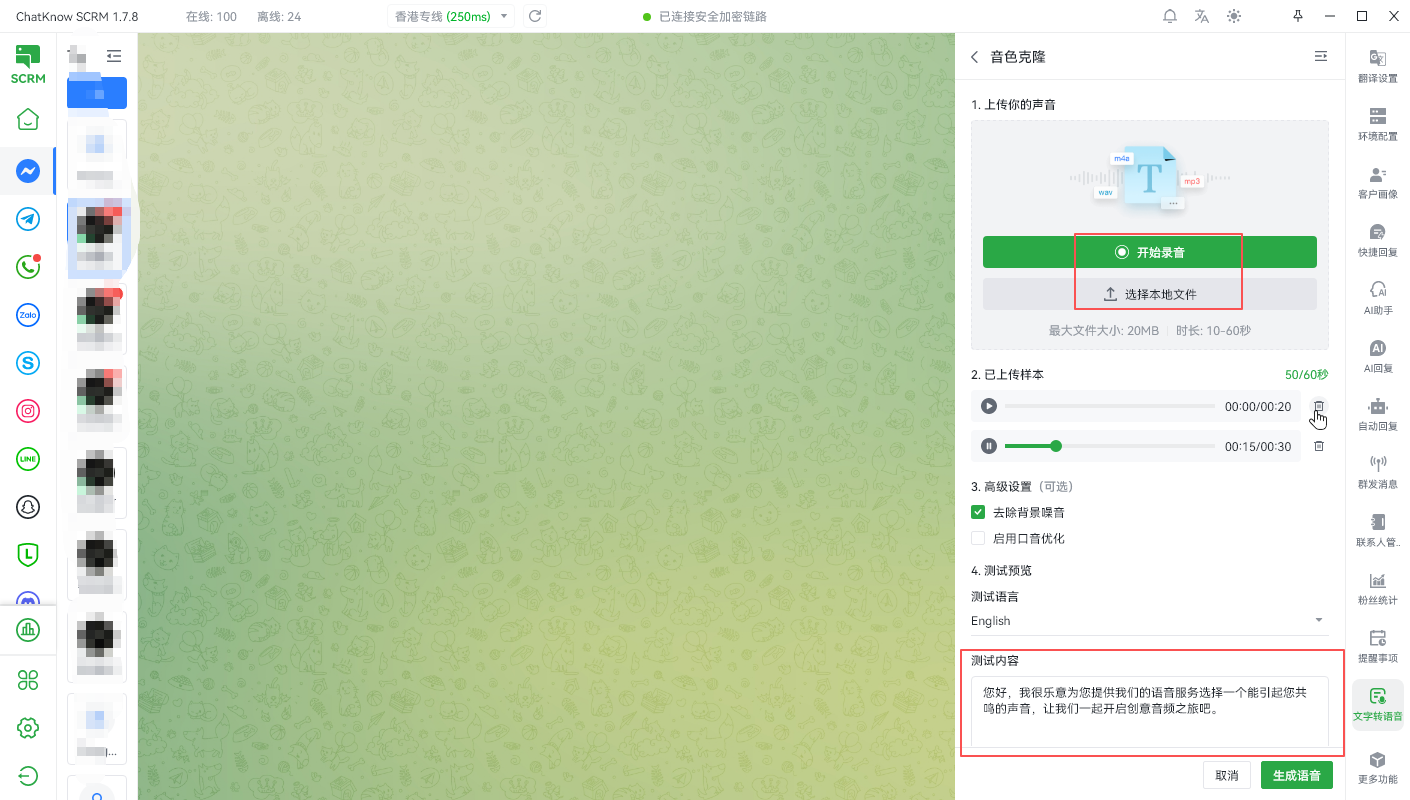
当你需要使用自己的声音时，您可以在客户端 「 右侧工具栏—文本转语音 」点击上传我的声音，完成声音克隆后，就可以直接选择自己的声音作为音色进行语音生成了

<figure><img src="/files/urtZqBli2vVtMfMtApA0" alt=""><figcaption></figcaption></figure>

<figure><img src="/files/k7HS3tcwwgYYBa9JMAGo" alt=""><figcaption></figcaption></figure>


---

# Agent Instructions: Querying This Documentation

If you need additional information that is not directly available in this page, you can query the documentation dynamically by asking a question.

Perform an HTTP GET request on the current page URL with the `ask` query parameter:

```
GET https://docs.chatknow.com/chatknow-kuai-su-ru-men-tu-wen-jiao-cheng/wen-ben-zhuan-yu-yin.md?ask=<question>
```

The question should be specific, self-contained, and written in natural language.
The response will contain a direct answer to the question and relevant excerpts and sources from the documentation.

Use this mechanism when the answer is not explicitly present in the current page, you need clarification or additional context, or you want to retrieve related documentation sections.