# 粉丝线索

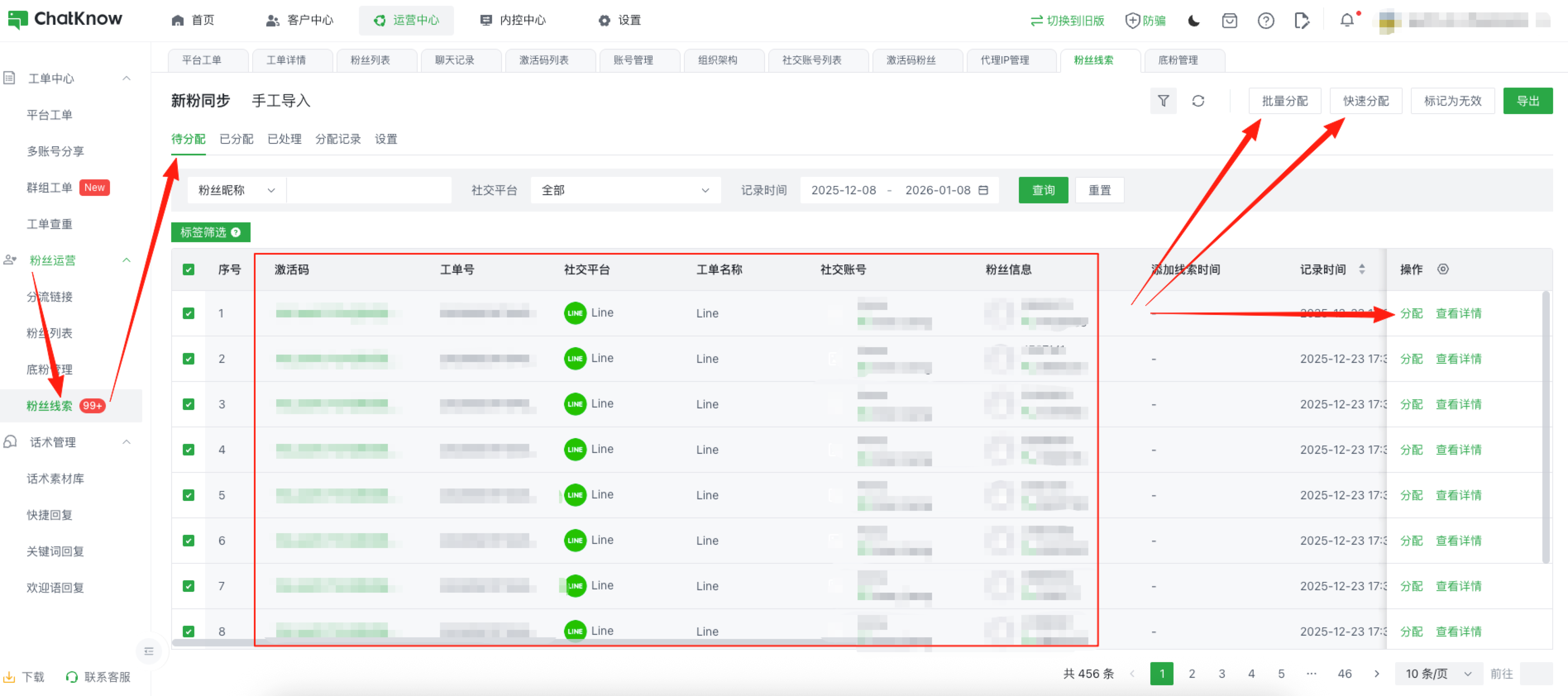
您可以在「运营中心」→「运营管理」→「粉丝线索」中找到对应页面\
**新粉同步：**&#x5C06;ChatKnow系统内产生的进粉重新分配（入口：需在“设置”中开启“是否同步新粉作为新增线索”功能）\
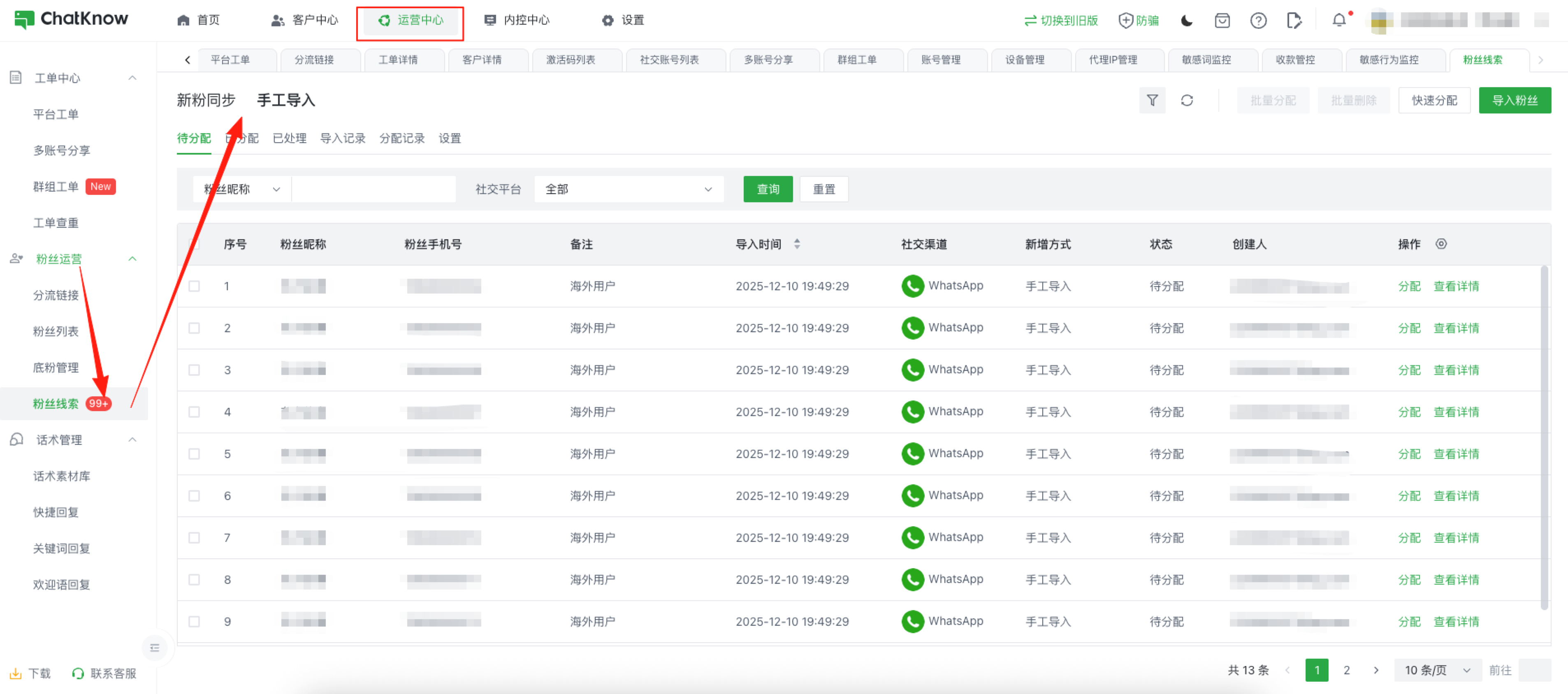
**手工导入：**&#x7528;于将您外部的粉丝（如：直接购买的粉丝手机号），一键导入系统并分配给指定客服（入口：在“手工导入”页面下的右上角）

<figure><img src="/files/OI78NcwcAo5cE2xlzH4r" alt=""><figcaption></figcaption></figure>

开启“新粉同步”或手工导入粉丝后，在对应的列表下可查看当前的粉丝信息，ChatKnow支持多种粉丝分配方式，您可以通过页面右上角/列表内“操作”中进行粉丝的重新分配。同时您也可以看到每条粉丝的流转状态

<figure><img src="/files/UMrvLuovBQ15VItZUSHL" alt=""><figcaption></figcaption></figure>

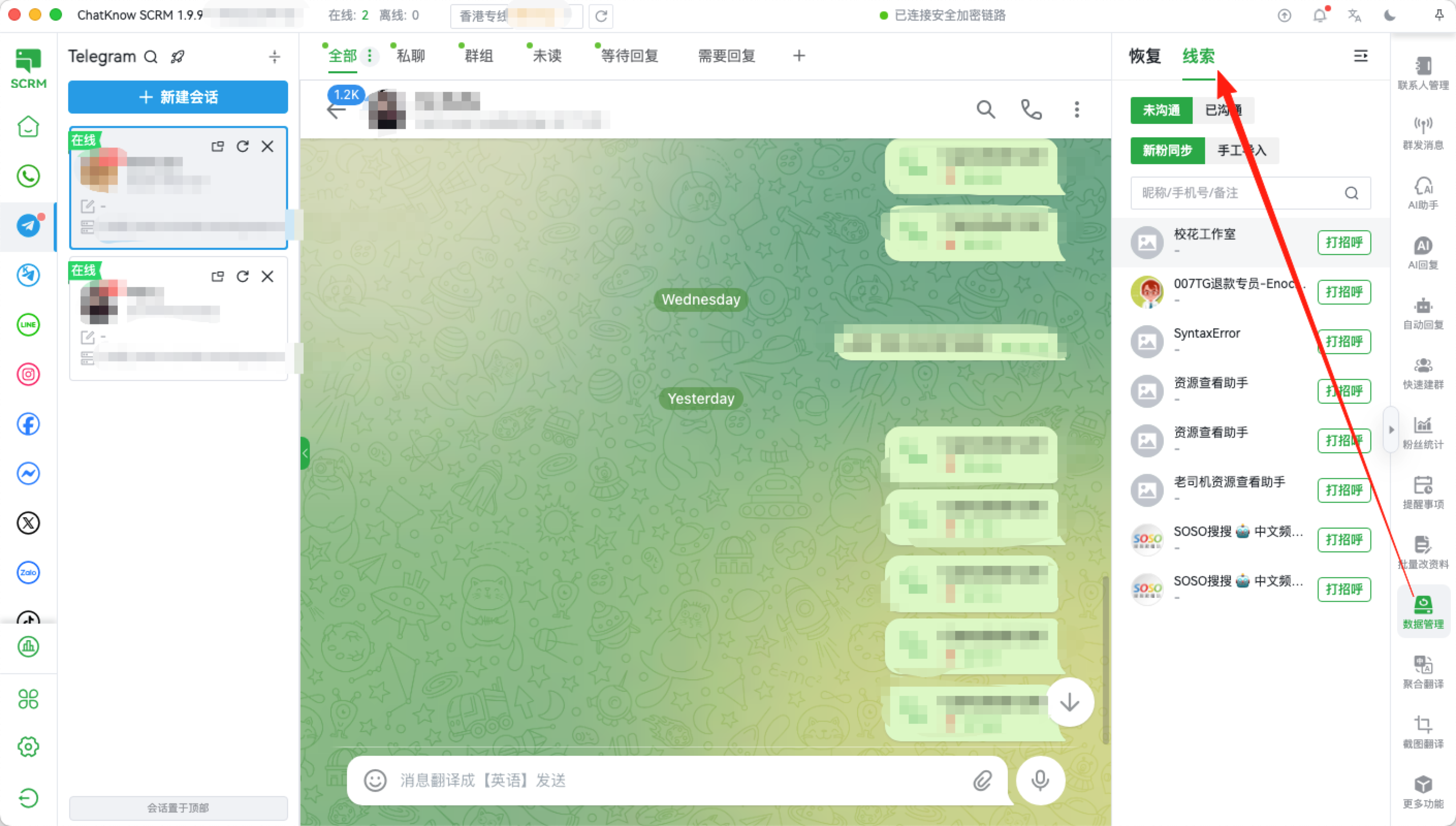
分配成功后的粉丝信息，将同步给对应客服的激活码中，客服可以通过选择「右侧工具栏」→「数据管理」→「线索」中找到您分配的粉丝信息并及时跟进
<figure><img src="/files/rScaAkNjHGsqJTNKE6lD" alt=""><figcaption></figcaption></figure>


---

# Agent Instructions: Querying This Documentation

If you need additional information that is not directly available in this page, you can query the documentation dynamically by asking a question.

Perform an HTTP GET request on the current page URL with the `ask` query parameter:

```
GET https://docs.chatknow.com/chatknow-kuai-su-ru-men-tu-wen-jiao-cheng/fen-si-xian-suo.md?ask=<question>
```

The question should be specific, self-contained, and written in natural language.
The response will contain a direct answer to the question and relevant excerpts and sources from the documentation.

Use this mechanism when the answer is not explicitly present in the current page, you need clarification or additional context, or you want to retrieve related documentation sections.