# AI回复

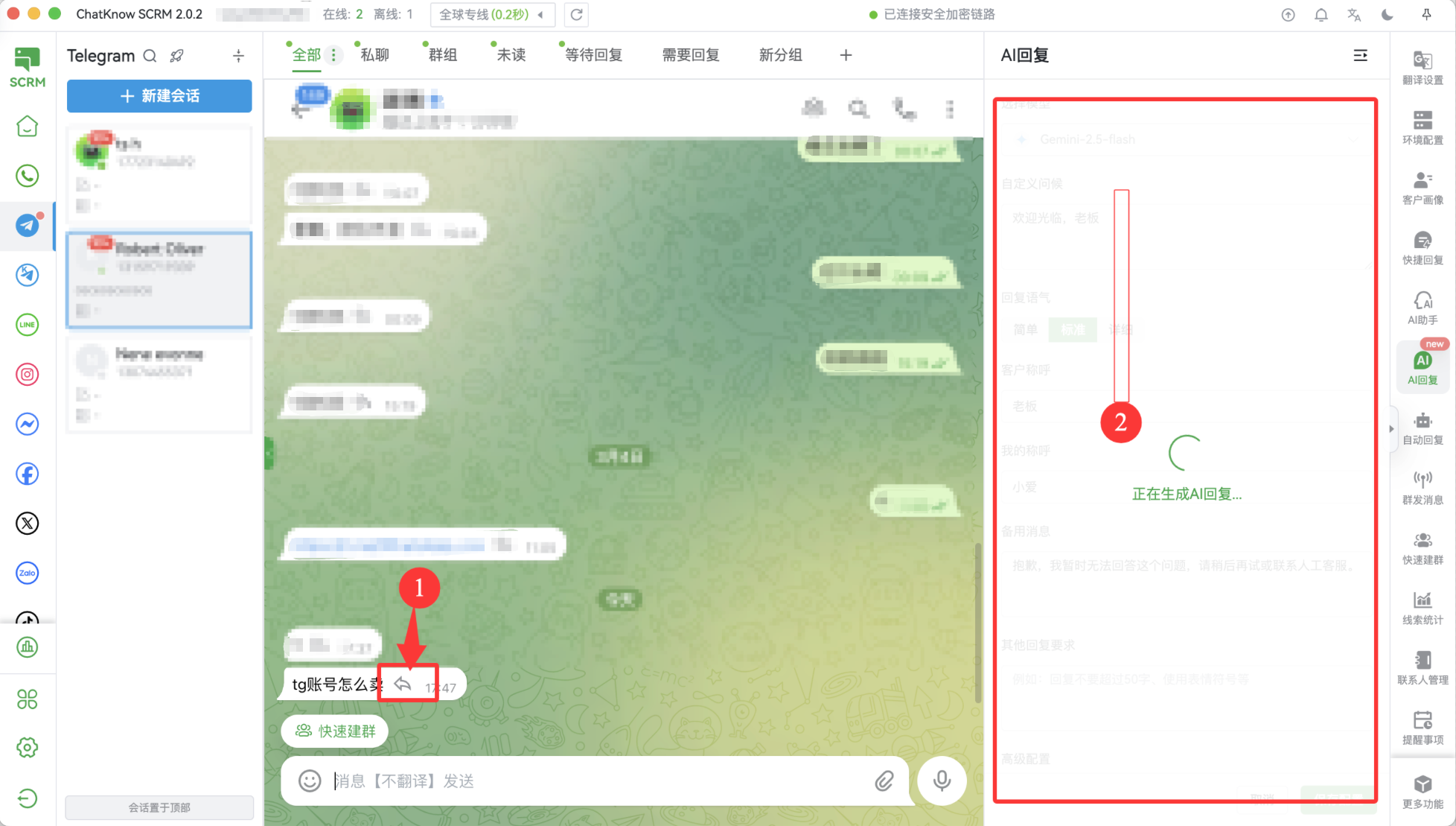
第一步、你需要修改产品知识库，这样AI就可以根据你的知识库进行智能回复，数据来源可以：

1）公司卖的产品目录

2）日常客服或者销售发的营销信息

3）操作手册的文案

4）其他可以提供知识、产品储备的文字内容

<figure><img src="/files/GeYseDZAiNIRSEh38q85" alt=""><figcaption></figcaption></figure>

第二步、点击保存，现在你就可以对你的客户发的消息进行自动回复了

<figure><img src="/files/gkyMFgAFEIFY1DEJ1VDP" alt=""><figcaption></figcaption></figure>

<figure><img src="/files/pfIiCaq4DWPs4ps1nXTn" alt=""><figcaption></figcaption></figure>

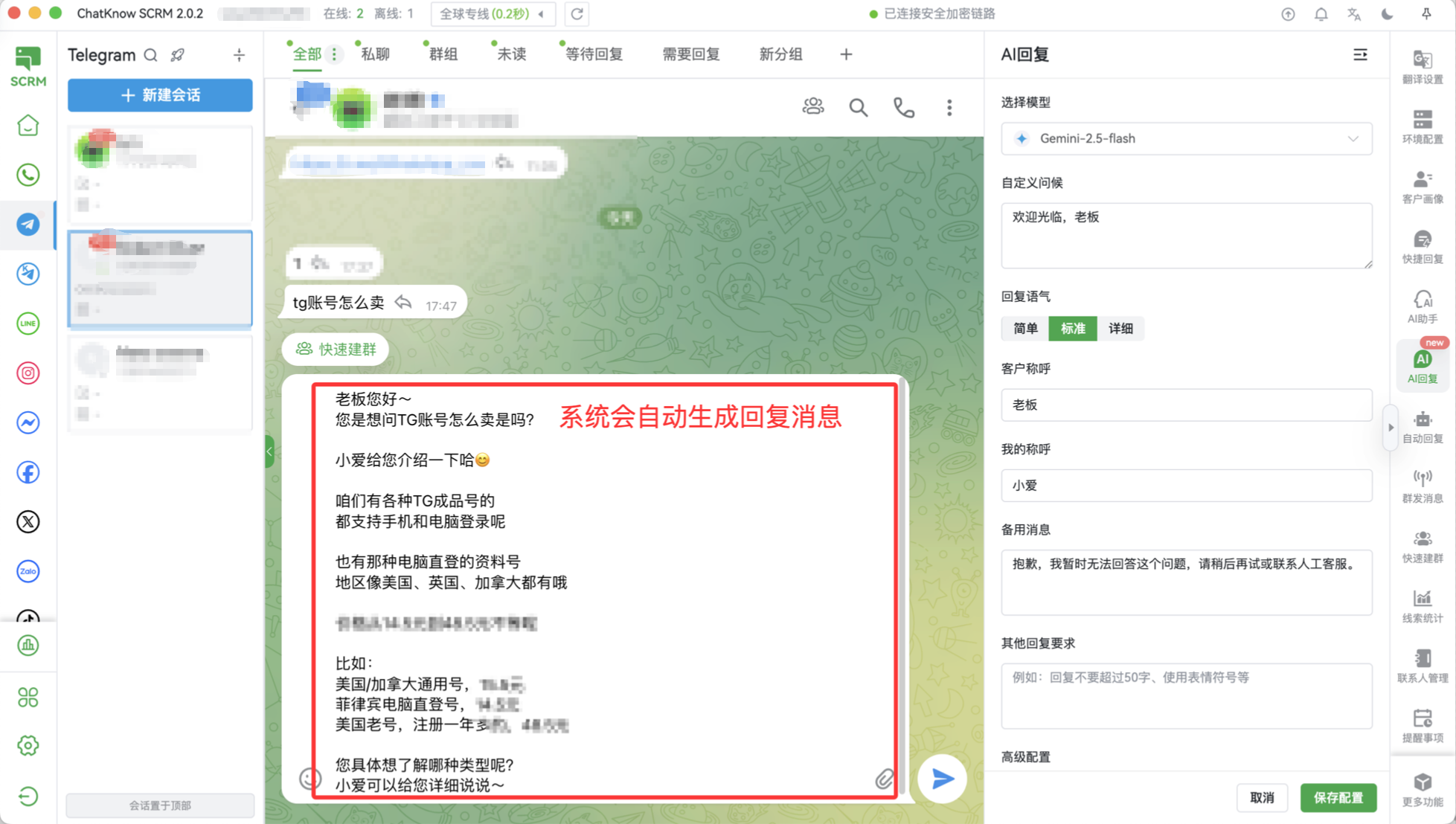
第三步、系统回复的消息会自动覆盖你当前在聊天消息框中输入的内容，你可以直接点击发送或者回车键进行回复。如果你想要修改，可以直接进行修改

<figure><img src="/files/J2X8UnGoHeh2UN2pk4H5" alt=""><figcaption></figcaption></figure>

第四步、如果你对自己的称呼、客户的称呼、打招呼有自己的要求，可以按照下图进行修改，那么AI会根据你的设定进行回复

<figure><img src="/files/lox7qYzKZNepS5mo4vYm" alt=""><figcaption></figcaption></figure>

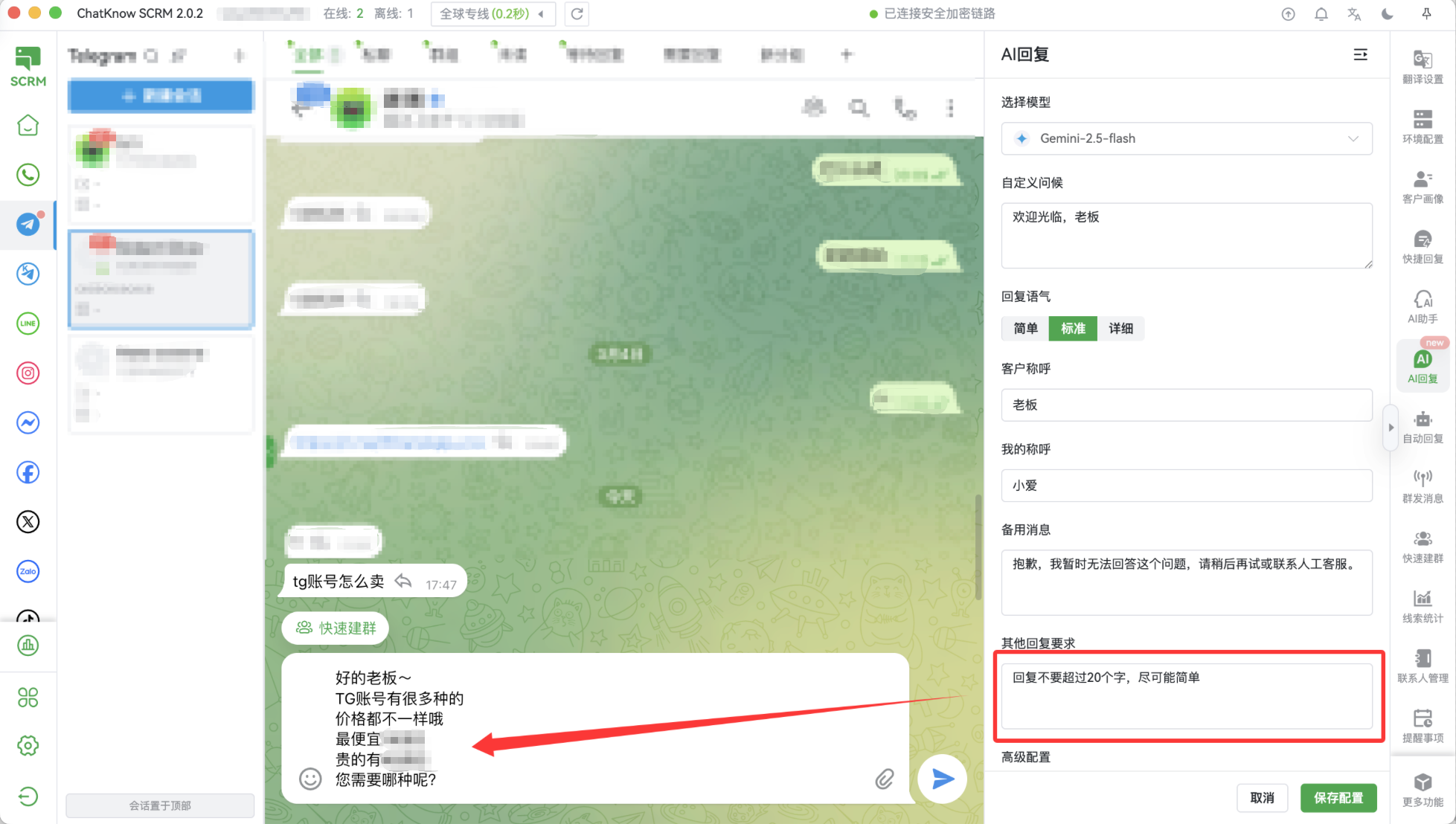
第五步、对于回复内容你有高度自定义的需求，可以把你的想法直接写入到其他回复要求中，比如：

1、回复的字数保持在20字以内，

2、回复的内容需要精简一些&#x20;

3、复制你回复内容的消息的上下文，回复内容请有限参考以下内容等等

<figure><img src="/files/p46N0eE4ZsFYmb1hFZ7t" alt=""><figcaption></figcaption></figure>

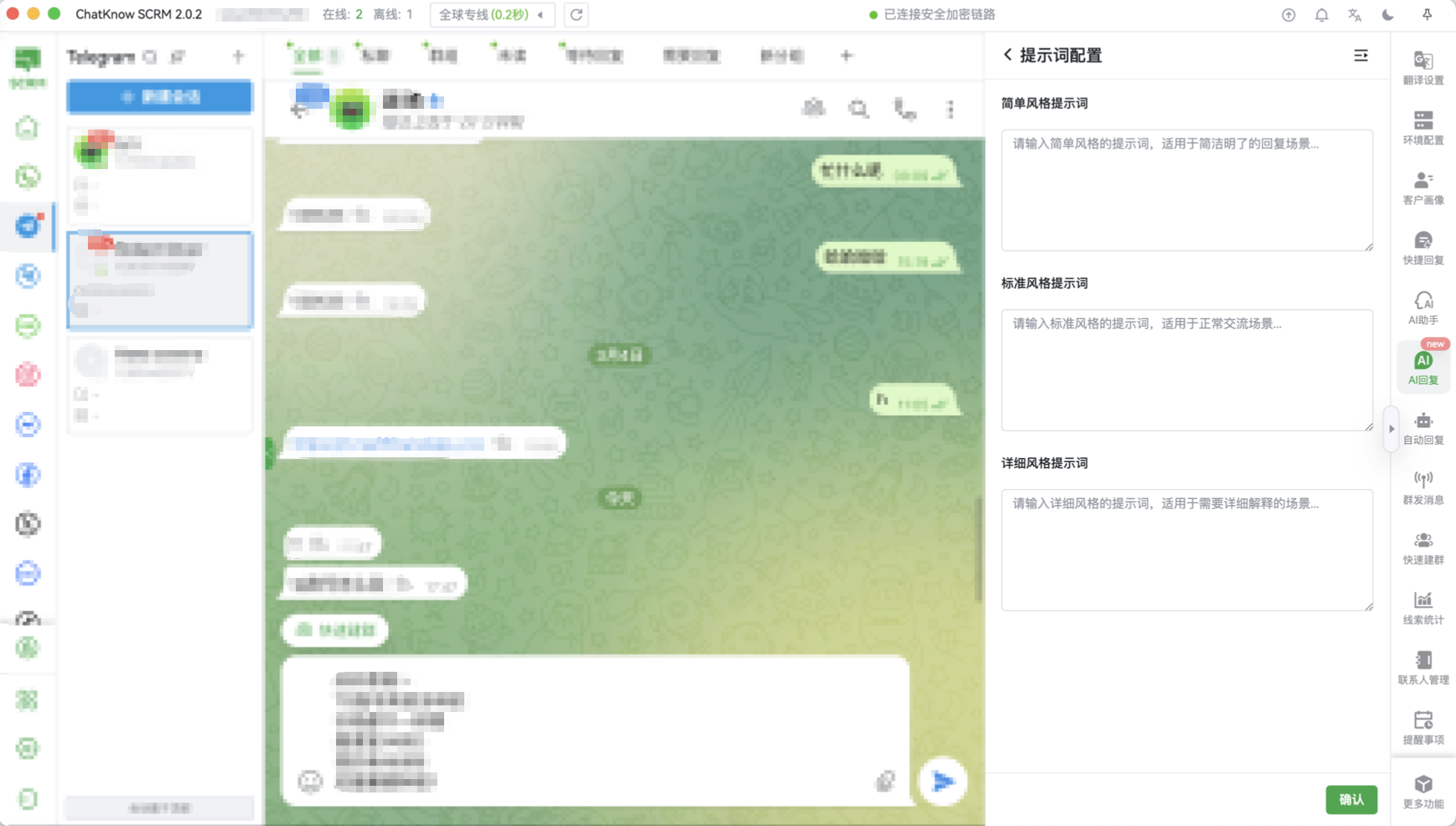
第六步、如果你对提示词有自己的研究，可以进行设定自己的提示词，当然我们不建议随意的写法，这块是需要对提示词有一定研究的人员进行设置，如果你修改了提示词，那么系统将覆盖系统自带的提示词

<figure><img src="/files/BdX8rfguq6yNS7P5mYQA" alt=""><figcaption></figcaption></figure>


---

# Agent Instructions: Querying This Documentation

If you need additional information that is not directly available in this page, you can query the documentation dynamically by asking a question.

Perform an HTTP GET request on the current page URL with the `ask` query parameter:

```
GET https://docs.chatknow.com/chatknow-kuai-su-ru-men-tu-wen-jiao-cheng/ai-hui-fu.md?ask=<question>
```

The question should be specific, self-contained, and written in natural language.
The response will contain a direct answer to the question and relevant excerpts and sources from the documentation.

Use this mechanism when the answer is not explicitly present in the current page, you need clarification or additional context, or you want to retrieve related documentation sections.